AI-Generated Interfaces vs Traditional Mobile UI: What Changes for Mobile Teams
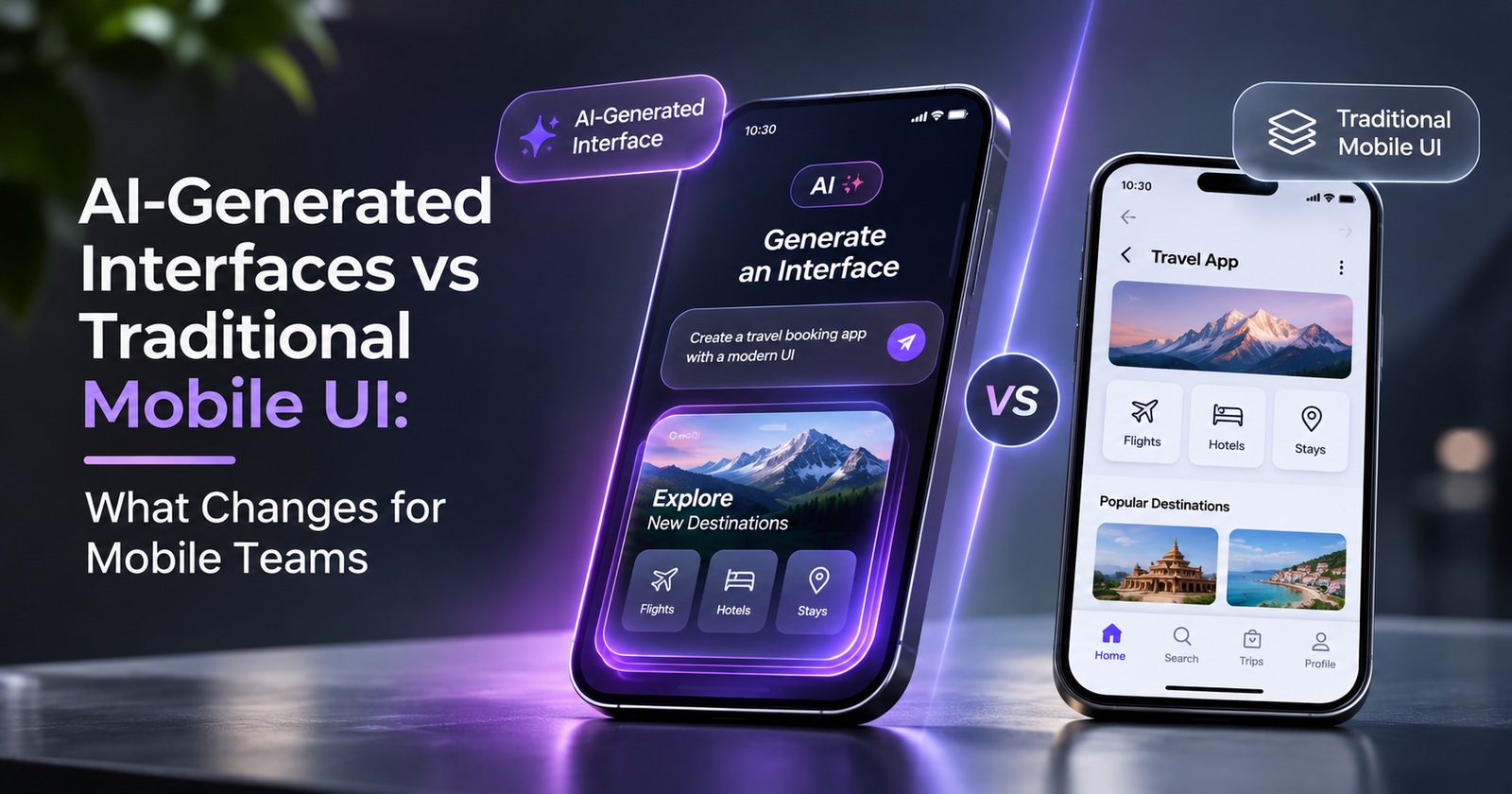
For more than a decade, a mobile screen has been a fixed deliverable. Designers draw it, developers build it, QA tests it, and every user sees the same layout. AI-generated interfaces break that chain. When an agent decides at runtime what to show, the screen stops being a deliverable and becomes an output.
Google's A2UI 1.0 announcement on November 11, 2026 is a useful reference point because it gives this idea a stable, open protocol. This article skips the feature list and asks a different question: who owns what when the interface is generated?
How Do AI-Generated Interfaces Differ From Traditional Mobile UI?
In a traditional app, every screen and flow is designed, built, and tested before release. In a generative model, the team ships building blocks (components, rules, and data connections) and an agent assembles screens for each request.
| Dimension | Traditional mobile UI | AI-generated interface |
|---|---|---|
| Who decides the layout | Designer and developer, before release | Agent, at runtime, from approved components |
| Unit of work | The screen | The component and the rules for using it |
| Personalization | Limited variants and A/B tests | Per user and per request |
| Predictability | High: known screens and flows | Lower: many possible combinations |
| Testing | Fixed paths | Component contracts plus agent behavior |
| Main risk | One-size-fits-all flows | Wrong or unexpected output |
| Best for | Core, frequent, high-stakes flows | Variable, multi-step tasks such as comparing or approving |
Neither model replaces the other. The real work is deciding which flows belong where.
What Changes for Mobile Developers
From screens to a component catalog. According to Google, A2UI agents can place and configure only the components an app registers. That makes the catalog the developer's main product. Each component needs a clear contract: what data it accepts, what actions it can trigger, and how it behaves when data is missing.
Agent output is untrusted input. Treat every action and parameter coming from an agent the way you treat an external API call. Validate it, limit it, and require user confirmation for sensitive actions. Google also notes that server-side data binding keeps sensitive values away from the model, which is a pattern worth copying in any agent-driven design.
New states to handle. Generated screens can stream in piece by piece, arrive incomplete, or fail. Loading, partial, error, and fallback states move from nice-to-have to required.
Keep a native fallback. If an agent response fails or is unsuitable, the user still needs a working path through a conventional screen.
What Changes for UI Designers?
The design system becomes the constraint. If the agent can only use registered components, gaps in the system show up directly as weak output. Tokens, spacing, typography, and component variants matter more because they define everything the agent can produce.
Design states and rules, not pages. A designer can no longer draw every screen. Instead, they define how components behave with long text, empty data, errors, large fonts, and small screens, plus usage rules such as when to use a card instead of a list or how many items a view should show.
Accessibility moves into the components. Because layouts vary, accessibility has to be built into each component, not checked screen by screen.
How Does QA Testing Change for AI-Generated Interfaces?
Test components deeply, compositions by sampling. You cannot test every possible screen, but you can test every component thoroughly and sample the combinations that agents produce most often.
Validate agent output against a schema. Automated checks should confirm that responses use only approved components, valid properties, and allowed actions.
Run visual and accessibility checks on a matrix. Cover device sizes, font scales, dark mode, languages, and screen readers.
Evaluate agent decisions. Build a set of realistic prompts and scenarios, review the interfaces the agent produces, and track failure rates over time. This works like a regression suite for behavior.
Test approval flows. Confirm that sensitive actions cannot complete without an explicit user confirmation, whatever the agent returns.
When Does Traditional Mobile UI Still Work Better?
Sign-in, checkout, payments, and settings usually benefit from fixed, thoroughly tested screens. Predictability, legal clarity, and muscle memory matter more there than personalization. Generative UI fits better where tasks vary and users would otherwise face long text answers: comparing options, reviewing a plan, filling a multi-step form, or exploring data.
A Practical Way to Start
- Pick one flow where text-only answers frustrate users.
- Audit your design system for gaps and unclear component rules.
- Write down what the agent may and may not do.
- Set up schema checks and scenario reviews before launch.
- Keep a native fallback and measure how often it is used.
Final Thoughts
Generative UI does not remove developers, designers, or QA. It moves their work from individual screens to the system behind them: components, rules, and tests. Teams that invest in a strong design system and clear guardrails will be better placed to use AI-generated interfaces safely.
If you are planning an AI-powered mobile product and need help with architecture, design systems, and quality assurance, a Mobile app development company in USA can help you move from idea to a reliable release.
About the author
- I'm an SEO Executive at CodeStore Technologies, a software development company. I help businesses build their digital presence through data-driven SEO and content strategy.
Comments
Join the discussionNo comments yet. Be the first to comment.